Proactive AI Shopping Assistant for Shopify: How It Guides Shoppers Before They Leave
Learn how proactive AI shopping guidance uses Shopify store information, journey context, and signals of purchase friction to help shoppers choose and continue toward checkout.
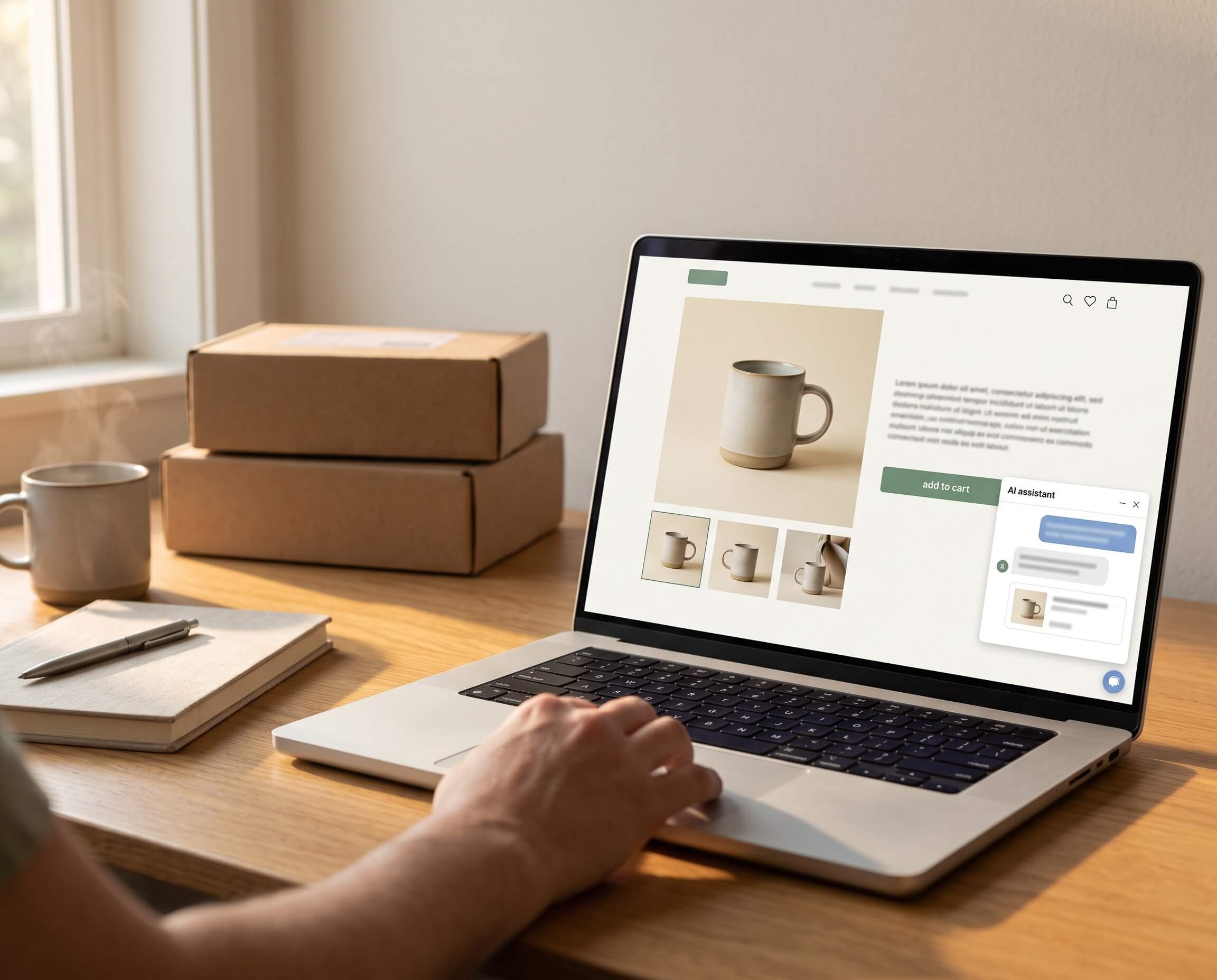
A proactive AI shopping assistant for Shopify uses approved store information, current shopping context, and observable behavior as signals of possible purchase friction. It can then offer relevant guidance before the shopper explicitly asks for help or leaves the store.
The purpose is not to make a chat window appear more often. It is to make the next purchase decision easier at the moment assistance may be useful.
That can mean helping a shopper:
- find a suitable product without knowing the catalog language;
- compare similar products and understand meaningful tradeoffs;
- check size, fit, dimensions, materials, or compatibility;
- identify an in-stock alternative;
- add a genuinely useful accessory or bundle;
- understand approved delivery, return, promotion, or payment information;
- resolve a cart or checkout question before abandoning the purchase.
Aura Connect is a proactive AI shopping assistant for Shopify. It uses real-time browsing behavior as signals of possible purchase friction and provides store-specific shopping guidance across landing, browsing, cart, and checkout stages.
Why waiting for shoppers to ask is not always enough
A reactive chat experience can help someone who recognizes a question, finds the chat entry point, and decides to type it. That is useful, but it covers only one part of the buying journey. The proactive AI shopping assistant vs. reactive chatbot comparison explains where the two approaches overlap and where their triggers, timing, and buying jobs differ.
Many shoppers do not turn uncertainty into a support conversation. They may move between similar products, revisit a size chart, search for compatibility information, return from checkout to a policy page, or leave without explaining what stopped the purchase.
Low pre-purchase ticket volume therefore has two possible meanings:
- the store makes product decisions easy and shoppers genuinely need little help; or
- uncertain shoppers leave before asking.
Ticket volume alone cannot distinguish between them. Merchants need to examine product-page exits, search behavior, repeated product comparisons, funnel transitions, cart behavior, returns, and customer feedback alongside direct questions.
Proactive shopping guidance is designed for that gap: the period after interest appears but before uncertainty becomes a question or an exit.
Proactive guidance is not just an automatic pop-up
An automatic welcome message can open first without understanding what the shopper needs. A timer-based discount can appear before the shopper has evaluated the product. An exit-intent pop-up can trigger because the pointer moved toward the top of the screen.
Those experiences are automatically triggered, but they are not necessarily proactive shopping guidance.
A useful proactive AI shopping assistant needs five elements:
| Element | Question it must answer |
|---|---|
| Signal | What observable behavior or event suggests assistance may be useful? |
| Context | Which product, variant, page, cart, and shopping stage are relevant? |
| Timing | Why is this the appropriate moment to intervene? |
| Relevance | Does the message help with the decision the shopper may be making? |
| Restraint | When should the assistant remain quiet, stop prompting, or escalate? |
Without context and relevance, proactive becomes interruption. Without restraint, more engagement can create more friction instead of reducing it.
What signals can indicate possible purchase friction?
Behavior does not reveal a shopper's thoughts. It provides incomplete signals that should be interpreted cautiously and, where possible, combined with product and journey context.
Signals that may be useful include:
- moving repeatedly between similar product pages;
- revisiting size, specification, compatibility, delivery, or return information;
- spending time comparing variants or configurations;
- adding a product to the cart and returning to product information;
- reviewing a related accessory after selecting a core product;
- stopping progression during cart or checkout;
- encountering a payment failure;
- returning to the same product with an unresolved selection.
No single behavior proves intent. A long dwell time may mean careful evaluation, distraction, or that the shopper left the tab open. Repeated views may indicate interest, confusion, or comparison with another store.
The assistant should therefore treat behavior as a reason to offer relevant help—not as permission to claim it knows what the shopper is thinking.
For example, this is too presumptive:
You are worried this will not fit. Buy now before it sells out.
A more responsible intervention is:
Comparing sizes? I can help you check the measurements and fit notes.
The second message connects to the available context without presenting an inference as a fact.
How proactive AI guidance works across the Shopify journey
The shopper's next decision changes as they move through the store. Proactive assistance should change with it.
Landing: help the shopper begin in the right place
A visitor may arrive from a campaign, search result, social post, or recommendation with a goal but no product name. Guidance can help translate recipient, activity, budget, use case, or practical constraints into a starting point.
Useful examples include:
- asking whether a gift is for a beginner or experienced user;
- narrowing a large collection by the shopper's stated goal;
- explaining which product family fits a device or environment;
- directing the shopper to the relevant category or comparison.
Not every arrival needs a greeting. Clear navigation and a strong landing page may already provide the best next step.
Browsing: reduce unnecessary choice
During browsing, a shopper may understand the category but not which attributes matter. The assistant can ask the smallest useful question, remove unsuitable options, and explain why the remaining products fit.
Shopify storefront search and Search & Discovery already support search, filters, synonyms, product boosts, and recommendations. Proactive guidance should complement those tools. Search retrieves; filters narrow known attributes; conversational guidance helps the shopper express a need and interpret the result.
Product evaluation: answer the question behind the specification
A product page can contain correct information without making the decision easy.
A shopper may see dimensions, materials, ports, or battery capacity and still ask:
- Will this work in my space?
- Will it connect to my device?
- Which version is sufficient for my use case?
- Why does the more expensive model cost more?
- What will I sacrifice if I choose the cheaper option?
A useful assistant connects verified facts to the decision. Instead of repeating two specification tables, it can explain the relevant tradeoff:
Model A supports two external displays, while Model B supports one. Choose Model A if a dual-monitor setup is required; otherwise Model B covers the same basic connection at a lower price.
The answer must remain grounded in available store information. If device compatibility is not documented, the assistant should say what information is missing rather than invent confirmation.
Cart: confirm the choice and complete the setup
Cart guidance can help shoppers confirm the selected variant, understand an active promotion, find an in-stock substitute, or add something genuinely necessary for a complete setup.
Shopify distinguishes between related products, which may serve as substitutes, and complementary products, which are useful additions. A proactive recommendation should preserve that distinction.
Examples include:
- suggesting the compatible cable required for the selected device;
- recommending a protective case that matches the chosen model;
- offering an in-stock alternative with the same essential requirements;
- explaining why a bundle is relevant to the shopper's stated use.
Increasing cart value is not enough. The recommendation should help the original purchase succeed.
Checkout: resolve a verified blocker
Before completing an order, shoppers may hesitate over delivery, return conditions, discounts, payment, or whether the cart contains the correct configuration.
Proactive guidance can surface approved information and explain the next step. It should not:
- promise an arrival date the store cannot verify;
- create a discount that is not active;
- override a return condition;
- claim that a failed payment succeeded;
- pressure the shopper with false scarcity.
If the question requires information or authority the assistant does not have, it should direct the shopper to the correct source or a person.
What information supports reliable proactive guidance?
The assistant needs a dependable store knowledge foundation. Depending on the merchant and product, that may include:
- product titles and descriptions;
- variants, prices, and current inventory;
- categories and collections;
- size, fit, dimensions, materials, and care details;
- technical specifications and compatibility;
- included items and required accessories;
- related, substitute, and complementary products;
- shipping, delivery, returns, warranty, discounts, and payment policies;
- merchant-approved documents and knowledge;
- the current product, variant, cart, page, and shopping stage;
- brand voice and escalation rules.
Shopify metafields can store specialized product information such as part numbers, ingredients, related products, files, dimensions, and category-specific attributes. Maintaining important facts as structured, reusable data is generally more reliable than placing contradictory details across product descriptions, images, and support documents.
An AI shopping assistant cannot determine which of two conflicting size charts is correct. Merchants should resolve source conflicts before increasing the reach of the answer.
The pre-purchase questions proactive guidance should address
The most important question is not always the most frequent one. It is the question capable of stopping the current purchase.
Product discovery
- Which product fits this goal, recipient, activity, or budget?
- Which attributes matter for this use case?
- Is there a suitable in-stock option?
Product comparison
- What is materially different between these products?
- Who benefits from the additional feature?
- When is the simpler or less expensive option sufficient?
Fit and compatibility
- Which size or configuration should I choose?
- Will this fit the available space?
- Will it work with the device, system, or product I already own?
Purchase completeness
- What is included?
- Is another component required?
- Which accessory is compatible rather than merely related?
Delivery and policy confidence
- What delivery information can the store verify?
- Which return, exchange, warranty, or promotion conditions apply?
- What should I do after a payment problem?
Answers that apply to nearly every shopper should remain visible on the product or policy page. Proactive guidance is most valuable when the correct answer depends on the current product, variant, use case, cart, or journey stage. Read how to answer recurring pre-purchase questions on Shopify product pages for the broader placement framework.
When should a proactive assistant remain quiet?
The ability to initiate a conversation should be matched by the ability not to initiate one.
The assistant should avoid or stop intervention when:
- a shopper is moving confidently through a familiar repeat purchase;
- the available context does not support a relevant message;
- the shopper has dismissed or ignored the prompt;
- the same assistance was already offered;
- a clear product page, search result, or checkout message already answers the question;
- store data is insufficient or contradictory;
- the decision requires specialist judgment or human authority;
- the only available message is an unrelated promotion.
Merchants should also control where different forms of guidance are active and review conversations and outcomes regularly. A trigger that helps on a complex product page may be unnecessary on a simple repeat-purchase item.
What proactive AI shopping guidance cannot fix
Proactive guidance can reduce decision work. It cannot compensate for every reason a store fails to convert.
It cannot reliably fix:
- poorly targeted or low-intent traffic;
- inaccurate product information;
- unavailable inventory;
- poor product quality;
- uncompetitive pricing or an unclear offer;
- slow or unsuitable fulfillment;
- storefront and checkout defects;
- return or warranty policies that do not meet shopper needs;
- a product that is not right for the customer.
It should also avoid unsupported conclusions involving safety, health, legal requirements, delivery guarantees, or compatibility. When evidence is missing, acknowledging uncertainty is safer and more useful than producing a confident guess.
Does every Shopify store need proactive AI guidance?
No. It is more likely to create value when the store has meaningful pre-purchase decision friction, such as:
- a large or difficult-to-navigate catalog;
- several similar products or configurations;
- technical compatibility requirements;
- size, fit, material, or spatial constraints;
- required accessories and bundles;
- higher-consideration products;
- delivery or return conditions that vary;
- recurring questions whose answers depend on context;
- evidence that qualified shoppers leave during product evaluation, cart, or checkout.
Its marginal value may be lower for a small catalog of familiar, inexpensive, single-option, repeat-purchase products—especially when the storefront already makes the relevant decisions easy.
Use the Shopify AI shopping-assistant self-check to determine whether the problem is actually pre-purchase hesitation rather than weak traffic, an uncompetitive offer, or a technical checkout issue.
How to test a proactive AI shopping assistant
1. Establish the problem before installing
Identify the funnel transition and product decisions that appear to be failing. Record current product-page-to-cart, cart-to-checkout, and checkout-to-purchase performance by device, traffic source, product, and market where practical.
2. Build a real question set
Collect at least 30 questions from onsite search, support conversations, reviews, returns, sales calls, and merchandising teams. Include:
- simple product facts;
- comparisons and tradeoffs;
- size or compatibility questions;
- variant and availability questions;
- delivery and policy questions;
- ambiguous requests requiring clarification;
- questions the store cannot safely answer.
3. Test both intervention and restraint
Run journeys for shoppers who need help and shoppers who do not. Test repeated product comparisons, confident repeat purchases, dismissed prompts, cart changes, missing information, and payment problems.
Record whether the assistant:
- appears at a defensible moment;
- refers to the correct product, variant, and stage;
- provides a relevant next step;
- avoids repetitive prompts;
- remains quiet when intervention is unnecessary.
4. Test answer and recommendation quality
Score each result for factual correctness, completeness, grounding, product and variant accuracy, useful explanation, appropriate follow-up questions, and correct escalation.
When a recommendation leads to add-to-cart, verify that the right item and variant are preserved.
5. Use a consistent measurement window
Compare performance over the same traffic mix and period. Account for campaigns, discounts, seasonality, stock, site changes, and other factors that can affect conversion.
What merchants should measure
More conversations do not automatically mean more value. Measure the complete path around proactive assistance:
- eligible sessions and assistant exposures;
- prompt acceptance, dismissal, and repeat-prompt rates;
- product recommendation clicks;
- comparison-assisted product selection;
- add-to-cart after guidance;
- cart-to-checkout and checkout-to-purchase progression;
- payment-problem resolution where applicable;
- completed orders and revenue associated with assisted sessions;
- question resolution and human escalation;
- unsupported or incorrect-answer rate;
- refunds and returns after assisted purchases.
If avoidable returns are part of the business case, use the pre-purchase return-prevention framework for Shopify to connect return reasons to expectation gaps, information fixes, and post-purchase measurement.
Assisted revenue indicates that an interaction occurred within a defined purchase path. It does not, by itself, prove incremental revenue. Merchants should define the attribution window, reconcile orders with Shopify and analytics, and use an appropriate baseline or controlled test before claiming lift.
Where Aura Connect fits
Aura Connect is designed as a proactive pre-purchase decision layer for Shopify stores.
It uses real-time shopping behavior as signals that a shopper may be encountering purchase friction. Using the merchant's available catalog, inventory, policy, and brand information, Aura Connect can offer contextual guidance during landing, browsing, cart, and checkout.
Aura Connect can support:
- guided product discovery;
- product questions and comparison;
- product, alternative, bundle, and complementary recommendations;
- sizing, materials, specifications, and compatibility guidance;
- approved shipping, delivery, returns, promotion, and payment information;
- product cards and add-to-cart actions;
- cart, checkout, and payment-friction guidance;
- measurement of shopping outcomes associated with assisted sessions.
The product is most relevant when qualified shoppers reach the store but still need help choosing, confirming, or completing a purchase. It should not be treated as a substitute for accurate product data, a full customer-service operation, or disciplined conversion measurement.
View Aura Connect on the Shopify App Store
If you are selecting between named vendors rather than learning how the category works, read Aura Connect vs. Rep AI or Rep AI alternatives for Shopify. Those pages own product-comparison intent.
Merchants deciding whether Shopify's native messaging product already covers the job can also read the Shopify Inbox AI update review. It separates reactive support and campaign capabilities from proactive, context-aware pre-purchase guidance.
The practical standard for proactive shopping guidance
A proactive AI shopping assistant should not be judged by how often it starts a conversation.
It should be judged by whether it recognizes a defensible opportunity to help, understands the current product and shopping stage, provides reliable guidance, respects the shopper's path, and improves the next purchase decision without introducing unsupported answers or unnecessary interruption.
That is what separates proactive shopping guidance from another automated pop-up.
Frequently asked questions
What is a proactive AI shopping assistant for Shopify?
It is a storefront guidance system that uses approved store information, current shopping context, and observable behavior as signals that assistance may be useful. It can then help with product discovery, comparison, questions, recommendations, cart decisions, or checkout concerns before the shopper explicitly asks.
Is proactive AI shopping guidance just a pop-up chatbot?
No. A pop-up can trigger automatically without understanding the shopper's current product or decision. Useful proactive guidance combines a signal with product and journey context, relevant timing, an appropriate message, and restraint.
How is it different from a reactive chatbot?
A reactive chatbot waits for the shopper to open chat or submit a question. A proactive assistant can offer contextual help before that happens. Both can be useful, and some products support both approaches.
What shopper behavior can an AI assistant detect?
Depending on the product and configuration, observable signals may include page views, repeated comparisons, dwell time, cart activity, checkout events, and payment failures. These are indications, not proof of a shopper's private intent.
Can proactive guidance improve Shopify conversion?
It may help when qualified shoppers are blocked by product discovery, comparison, fit, compatibility, delivery, cart, or checkout questions. It cannot solve weak traffic, incorrect product data, poor quality, unavailable inventory, or an uncompetitive offer. Merchants should test it against a defined baseline.
How should merchants measure it?
Track prompt acceptance and dismissal, recommendation clicks, add-to-cart, checkout progression, assisted orders, resolution, escalation, incorrect answers, and subsequent returns. Do not use conversation volume or assisted revenue alone as proof of incremental impact.
Sources
Verified September 8, 2026:
- Shopify Help Center: Storefront search
- Shopify Help Center: Customize product recommendations with Shopify Search & Discovery
- Shopify Help Center: Product details page and metafields
- Shopify Help Center: Search & Discovery reports and analytics
- Shopify Help Center: Shopify Inbox
- Aura Connect on the Shopify App Store