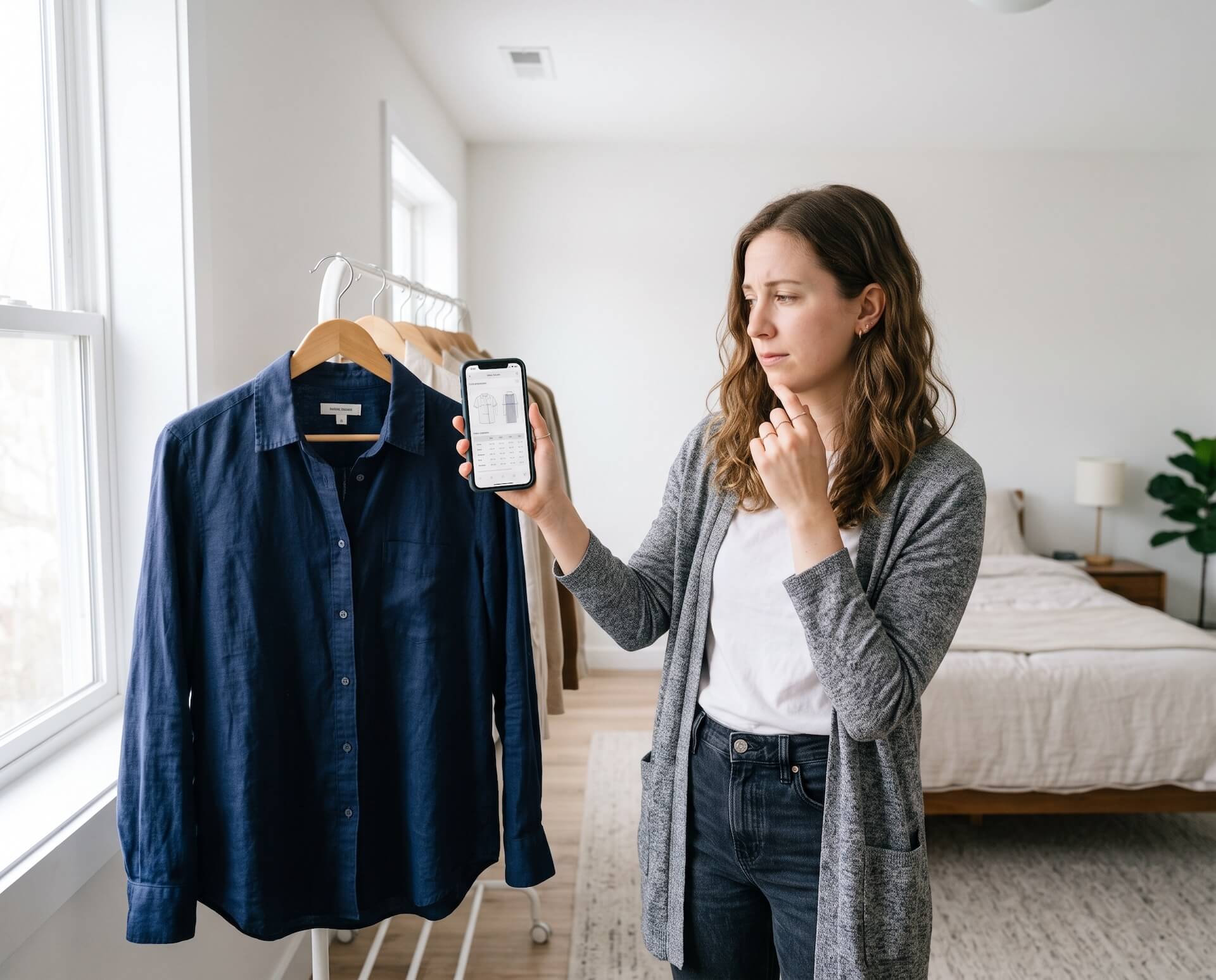
How to Answer Pre-Purchase Questions on Shopify Product Pages
A practical framework for placing recurring answers on product pages, using contextual guidance when answers vary, and escalating uncertain questions to a person.
A Shopify merchant should answer recurring pre-purchase questions on the product page first, then use contextual assistance for questions that depend on the shopper, product, or buying situation. Questions involving unusual cases, sensitive decisions, or uncertain information should be escalated to a person rather than answered automatically.
That division matters because a shopper may not describe their concern as a support request. They may be deciding whether a jacket will fit, whether an accessory works with a device, whether two products differ in a meaningful way, or whether an order can arrive by a particular date. If the information is difficult to find, some shoppers will leave without opening a chat or contacting the store.
The goal is not to put every possible answer into a chatbot. It is to build a reliable system for finding purchase-blocking questions, placing durable answers where everyone can see them, and offering timely guidance when the right answer depends on context.
The short answer
Use the Shopify product page for stable facts every shopper needs, a product or store FAQ for recurring explanations, contextual shopping guidance for questions that depend on the shopper or selected item, and a person for exceptions or uncertain answers. Start with real questions from conversations, tickets, onsite search, reviews, and returns rather than a generic FAQ template.
The practical workflow is:
- collect the shopper's exact question;
- identify the decision it is blocking;
- verify the answer against an approved source;
- choose the right answer location;
- write the answer directly and state any limitation;
- provide contextual guidance only when context changes the answer;
- measure the shopper's next step and update the underlying product information.
What are pre-purchase product questions?
Pre-purchase product questions are questions shoppers ask while deciding whether a product is suitable for them. They are different from post-purchase questions about an existing order, troubleshooting, returns, or account access. They are also different from pre-purchase surveys, which merchants use to collect information about visitors or attribution.
Public ecommerce research shows how varied these questions can be. An Amazon-led study uses examples such as whether a charger is included, while noting that questions about warranties or return policies can be ambiguous because they may be asked before or after a purchase. Other published product-question research includes examples about whether jeans shrink, whether a dish is microwave-safe, and the true size of a bicycle-seat cushion.
These are anonymized examples from public ecommerce research, not Aura Connect customer conversations. They illustrate four recurring types of uncertainty:
- Included items: Does the product come with everything needed to use it?
- Fit and dimensions: Will it fit the shopper, device, room, or intended location?
- Compatibility and use: Will it work safely with another product or in a specific situation?
- Purchase risk: What happens if it does not work, fit, or arrive as expected?
Sources: Amazon Science purchase-state research, Amazon Science product-question examples, and the ACL survey of product question answering.
Which questions commonly block a Shopify purchase?
The questions that matter most depend on what a store sells. A fashion shopper may need fit guidance, while an electronics shopper may need to confirm compatibility. A home and living shopper may care about dimensions, materials, assembly, or delivery access. A sports and fitness shopper may need to know whether a product matches their experience level or training goal.
See how these questions differ across Aura Connect's Shopify guidance for fashion and apparel, consumer electronics, sports and fitness, and home and living.
Most purchase questions fall into several practical groups.
Size, fit, and dimensions
Size labels alone may not answer whether an item fits a particular body, space, or use case. Useful product information can include measurements, model details, fit descriptors, stretch, packaged dimensions, clearance requirements, and instructions for measuring.
Shopify recommends enriching product information with details such as size charts, body measurements, model information, fit descriptions, materials, dimensions, compatibility, and use-case context. That information belongs on the product page when it applies broadly to the product.
Source: Shopify product data enrichment guide.
Specifications and included components
A specification is useful only when the shopper can connect it to a decision. Technical data should explain what a dimension, material, capacity, connector, power requirement, or package component means in practice.
For example, listing a connector type is better than omitting it. Explaining which devices use that connector is more useful to a shopper trying to confirm compatibility. If an essential cable, mounting part, battery, or adapter is not included, that should be visible before checkout.
Compatibility
Compatibility questions require precise product data. The answer may depend on a model number, generation, operating environment, dimensions, connector, material, or another product already owned by the shopper.
A store should not infer compatibility from a vaguely similar product. If the catalog or approved knowledge does not contain enough information, the reliable response is to state the limitation and direct the shopper to a verified compatibility resource or a person.
Product comparison
Shoppers often understand individual features but still need help choosing between two products. A useful comparison explains the decision boundary: who each option is for, which tradeoffs matter, and when paying more does or does not produce a relevant benefit.
This is part of improving product discovery with AI shopping guidance, but it occurs after the shopper has narrowed the catalog to a small set of candidates.
Availability, delivery, and returns
Availability and delivery answers may change by variant, location, inventory, or fulfillment method. Return answers may also depend on the product category or condition. These questions should point to current store information rather than a generic promise.
Shipping timelines, return terms, and product operation are among the questions Shopify identifies as useful to answer before a shopper decides to buy. Source: Shopify FAQ SEO guide.
When return reasons point to unmet expectations rather than defects or fulfillment errors, the Shopify pre-purchase return-prevention framework shows how to turn those reasons into clearer product information and measurable fixes.
Related products and add-ons
Some shoppers need a complementary item; others do not. A useful recommendation should explain the relationship, such as why a particular adapter is required or how two items work together. It should not present an unrelated upsell as necessary.
Where should each question be answered?
The best answer location depends on whether the information is stable and whether it applies equally to every shopper.
| Question type | Best primary location | Why |
|---|---|---|
| Core fact that applies to every buyer | Product page | Every shopper should be able to find it without starting a conversation |
| Repeated product or policy question | Product FAQ or store FAQ | A durable answer can be maintained and reused |
| Variant-specific fact | Product page near the variant selector or contextual guidance | The answer changes with the selected option |
| Goal-dependent recommendation | Contextual shopping guidance | The right answer depends on what the shopper is trying to accomplish |
| Unusual compatibility case | Verified documentation or a person | Guessing can create a bad purchase or safety risk |
| Policy exception or uncertain information | Human escalation | The store needs to confirm what it can honor |
This is not a choice between product content and conversation. Strong product pages reduce avoidable questions. Contextual assistance handles the questions that remain because they depend on the shopper or the moment.
How can merchants find the questions shoppers are already asking?
Start with first-party evidence rather than a generic list of ecommerce FAQs. The most useful sources are the shopper’s own words and the actions surrounding them.
Review:
- pre-purchase support tickets and live-chat transcripts;
- onsite search queries that contain product attributes or model names;
- product reviews that mention missing or confusing information;
- return reasons connected to fit, expectations, or compatibility;
- questions repeatedly asked on the same product page;
- comparison behavior between closely related products;
- exit surveys that ask what prevented a purchase;
- conversations that required a person to clarify the catalog or policy.
Shopify similarly recommends using customer data, support tickets, the first-time customer journey, reviews, forums, and competitor research to identify FAQ topics. Source: Shopify guide to creating an FAQ page.
Create a simple question log with five fields:
- the shopper’s question in their own words;
- the product and page where it appeared;
- the decision it prevented;
- the approved source of the answer;
- the best place to make that answer available next time.
The final field turns conversation history into merchandising and content improvements. If many shoppers ask whether the same component is included, the answer probably belongs on the product page. If each answer depends on a different model or goal, contextual guidance may be more appropriate.
A seven-step workflow for answering product questions on Shopify
1. Preserve the shopper's wording
Record the question as the shopper asked it. Do not immediately rewrite “Will this work with my 2022 model?” as a generic “compatibility question.” The original wording contains the product, context, and level of certainty the shopper expects.
2. Identify the blocked decision
Determine what the shopper needs to decide: whether the product fits, works, arrives in time, includes a required component, or is preferable to another option. Two differently worded questions may block the same decision and therefore need one durable answer.
3. Verify the source of truth
Map the answer to a catalog field, variant, specification sheet, policy, approved help content, or a person with authority to confirm it. If no reliable source exists, treat that as a product-information gap—not an invitation to generate an answer.
4. Put the answer in the right place
Add universal facts to the PDP. Store product-specific details such as dimensions, care instructions, assembly instructions, specifications, and size-chart references in Shopify product data or metafields when appropriate. Shopify documents these as supported uses for product-page metafields. Source: Shopify product metafield guidance.
Use an FAQ for answers that recur but need more explanation. Use contextual assistance only when the answer changes with the product, variant, shopper goal, page, or shopping stage.
5. Answer first, then explain
The first sentence should resolve the question when the evidence allows it. Follow with the specification, policy, or condition that supports the answer. Do not bury the answer beneath a product pitch.
6. State uncertainty and escalate when needed
If the source does not cover the shopper's model, destination, safety requirement, or policy exception, say so. A transparent limitation followed by a useful escalation path is better than a fluent guess.
7. Measure what happens next
Track whether the shopper views another product, compares options, adds to cart, continues to checkout, or requests human help. Review recurring questions separately: a high volume of successfully answered questions may still show that essential information is missing from the PDP.
Why are product descriptions and FAQs not always enough?
Product descriptions and FAQs are the foundation, but they cannot anticipate every combination of shopper, product, variant, and intended use. Static content works best when the answer is stable and broadly applicable. It becomes less effective when the shopper must piece together information from several sections or translate a technical attribute into a personal decision.
Shopify recommends clear product titles, concise summaries, prominent price and availability, and comprehensive product information for both shoppers and AI systems. That guidance reinforces an important principle: immediate assistance should not be used to hide weak product data. Source: Shopify guidance on optimizing stores for AI.
A practical sequence is:
- fix missing or unclear product information;
- add reusable answers to the relevant PDP or FAQ;
- provide contextual guidance for questions whose answers vary;
- escalate uncertain or sensitive cases to a person;
- review new conversations to improve the underlying knowledge.
This sequence also reduces Shopify product page friction without forcing shoppers to work through a conversation for information the page should already provide.
When should a store use immediate shopping guidance?
Immediate guidance is most useful when the shopper appears to need help with a decision that can still be resolved during the session. Examples include comparing similar products, confirming a specification, choosing a size or variant, checking compatibility, finding a related item, or understanding a relevant policy before moving forward.
The intervention should be relevant to the current page and shopping stage. A generic invitation to chat adds little if it does not help with the decision in front of the shopper. A useful message identifies the kind of help available without pretending to know exactly what the shopper is thinking.
Aura Connect uses real-time shopping behavior to identify moments when a shopper may need help and can provide product- and context-related guidance. Merchants can control the shopping stages and pages where Aura Connect appears, adjust brand tone, edit proactive messages, turn off a type of recommendation, and review conversation records.
Aura Connect has system-level limits on how frequently it triggers. Merchants cannot manually set that frequency. This distinction should remain clear when deciding how proactive assistance fits into the storefront experience.
What should an immediate answer include?
A reliable answer should do five things:
- Answer the question directly. Do not begin with a sales pitch.
- Name the relevant product or variant. Avoid ambiguous references when the shopper is comparing items.
- Explain the decision. Connect the fact to fit, compatibility, use, or another purchase criterion.
- State limitations. Say when information is unavailable, conditional, or needs confirmation.
- Offer a sensible next step. This might be viewing another product, checking a policy, adding a required component, or contacting a person.
For example, a compatibility answer should not stop at “yes.” It should identify the model or specification used to reach that conclusion. A size recommendation should disclose the measurements or fit information supporting it. A delivery answer should refer to the store’s current policy rather than promise an arrival date the store cannot verify.
What should not be automated without reliable information?
Automation should not turn uncertainty into confidence. A store should require human confirmation or a verified source when a question involves:
- an unlisted device or product model;
- a safety-critical use;
- medical or health guidance;
- an exception to the published return, warranty, or shipping policy;
- inventory or delivery information that is not current;
- a subjective recommendation presented as a guaranteed outcome;
- an answer that conflicts with the product catalog or approved knowledge.
Product question answering is challenging partly because user-generated information may be subjective or unreliable. Research reviews of ecommerce PQA identify answer reliability as a core problem, which is why an assistant needs grounded product and policy information rather than plausible-sounding language. Source: Product Question Answering in E-Commerce: A Survey.
How does Aura Connect support pre-purchase questions?
Aura Connect is a proactive AI shopping assistant for Shopify. It can help with product discovery, comparison, sizing, specifications, compatibility, related additions, and cart or checkout guidance using the store information made available to it.
Merchants install Aura Connect from the Shopify App Store. It can sync catalog and policy information, requires no development work, includes a test or preview mode, and can be live in about three minutes. More complete knowledge configuration enables broader coverage.
The storefront includes a widget icon, while proactive guidance can appear on the pages and shopping stages selected by the merchant. Merchants can adjust tone and messages, review conversations, and disable a type of recommendation. These controls shape where and how guidance appears; they do not replace the need for accurate product and policy data.
Aura Connect offers a 30-day free trial. Try Aura Connect on your Shopify store to test its guidance with your own catalog, policies, and real purchase questions.
How should Shopify merchants measure the result?
Do not judge the system by conversation volume alone. More conversations can mean better engagement, but they can also reveal missing product information. Measurement should connect each question to the shopper’s next step.
Track:
- question and conversation starts by page and product;
- recurring question categories;
- questions answered without escalation;
- product views and comparisons after an interaction;
- add-to-cart actions after an interaction;
- progression from cart to checkout;
- policy or product-content updates prompted by conversations;
- return or support patterns associated with recurring uncertainty.
For Aura Connect’s own acquisition funnel, track the article query and landing URL through App Store click, install, activation, trial, and paid conversion. Record CTA text and position so an inline CTA can be evaluated separately from the article-end CTA.
Observed behavior does not by itself prove causation. A shopper who starts a conversation may already have higher intent than one who does not. Use a suitable comparison or experiment when evaluating incremental impact, and document the observation period, definitions, and attribution method.
Frequently asked questions
What is a pre-purchase question?
A pre-purchase question is a question a shopper asks while deciding whether to buy. It can concern fit, dimensions, specifications, compatibility, variants, included components, delivery, returns, or which product best matches a need.
Should product questions go on the PDP or an FAQ page?
Put essential facts that apply to most shoppers on the product detail page. Use a product or store FAQ for recurring questions that need more explanation. Use contextual guidance when the answer depends on the shopper, variant, current page, or intended use.
Can AI answer Shopify product questions?
AI can answer many Shopify product questions when it has reliable catalog, policy, and contextual information. It should state limitations and escalate questions when the required information is missing, uncertain, sensitive, or outside approved store knowledge.
When should a product question be handed to a person?
Hand the question to a person when it involves a policy exception, unverified compatibility, safety or health implications, missing data, or a commitment the automated system is not authorized to make.
How can merchants find unanswered product questions?
Review pre-purchase conversations, support tickets, onsite search terms, reviews, return reasons, comparison behavior, and exit-survey responses. Group recurring questions by product and decision type, then decide whether each answer belongs on the PDP, in an FAQ, in contextual guidance, or with a person.
Does FAQ schema make product answers appear in Google or AI results?
No schema can guarantee visibility in Google or an AI-generated answer. Google says there is no special structured data required for AI Overviews or AI Mode; the page must first be indexable and eligible to appear in Search, with important content available as visible text. Structured data should accurately match that visible content. Source: Google Search Central guidance for AI features.
Use the page's required Article or BlogPosting schema. Add other structured data only when it accurately represents the visible page and meets the search engine's current eligibility rules—not as a substitute for useful answers, evidence, internal links, or crawlability.
Help shoppers resolve the question in front of them
Pre-purchase questions are not all support tickets, and they are not all content gaps. Some require a clearer product page. Some require a stable FAQ. Others depend on the shopper’s goal, product context, or current stage of the journey.
The strongest approach combines accurate product information with assistance that appears when it can genuinely clarify a decision. That gives shoppers a direct path to an answer without making unsupported promises or forcing every visitor into the same conversation.